
CognitiveAnchor: Focus & Tasks
ユーティリティ · iOS
ユーティリティ
CognitiveAnchor: Focus & Tasks
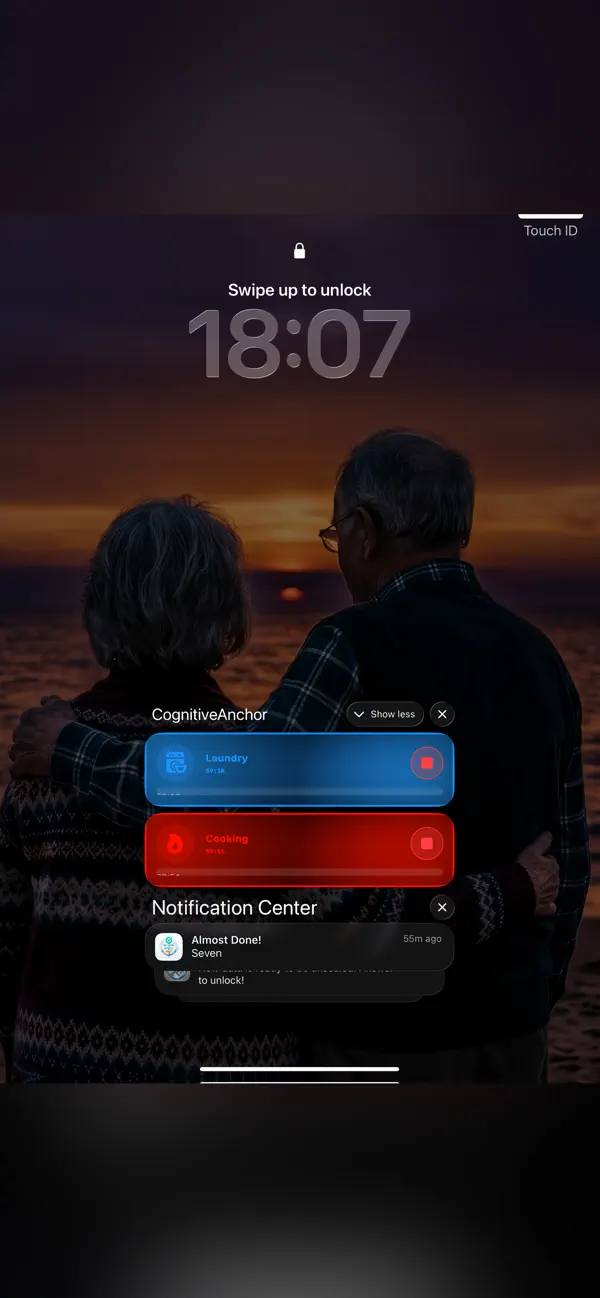
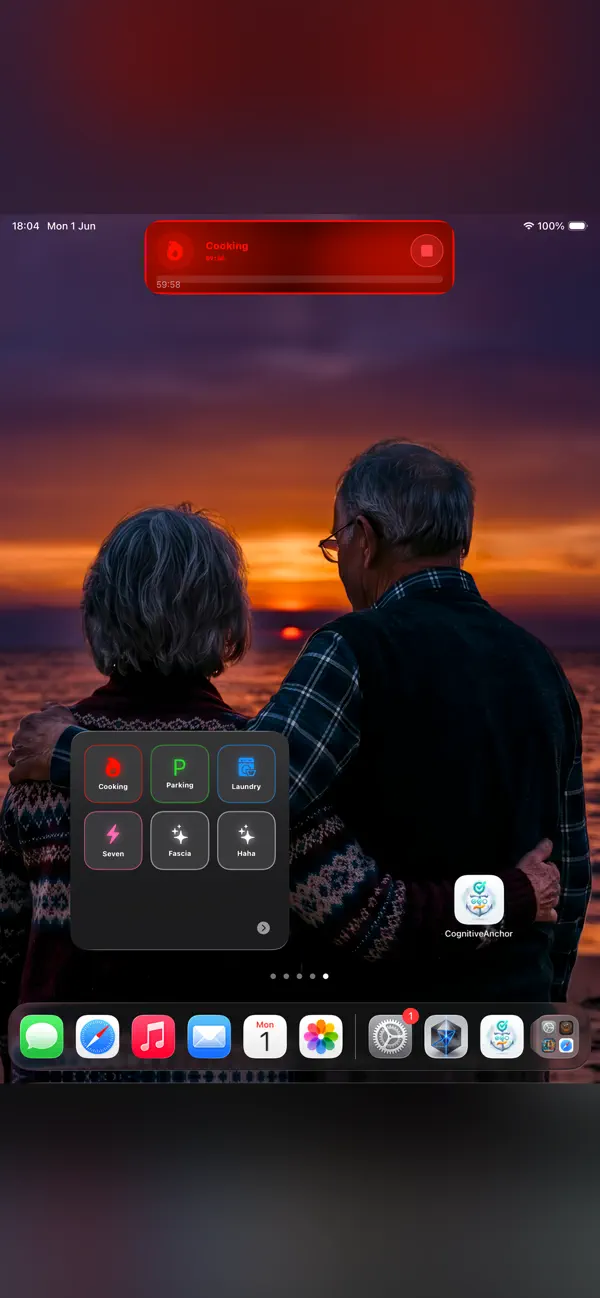
対応するロック画面、Dynamic Island、ホーム画面にタスクの目印を表示できます。
公式ストアへのリンクプライバシー情報ストア掲載のスクリーンショット

App Store
スクリーンショット
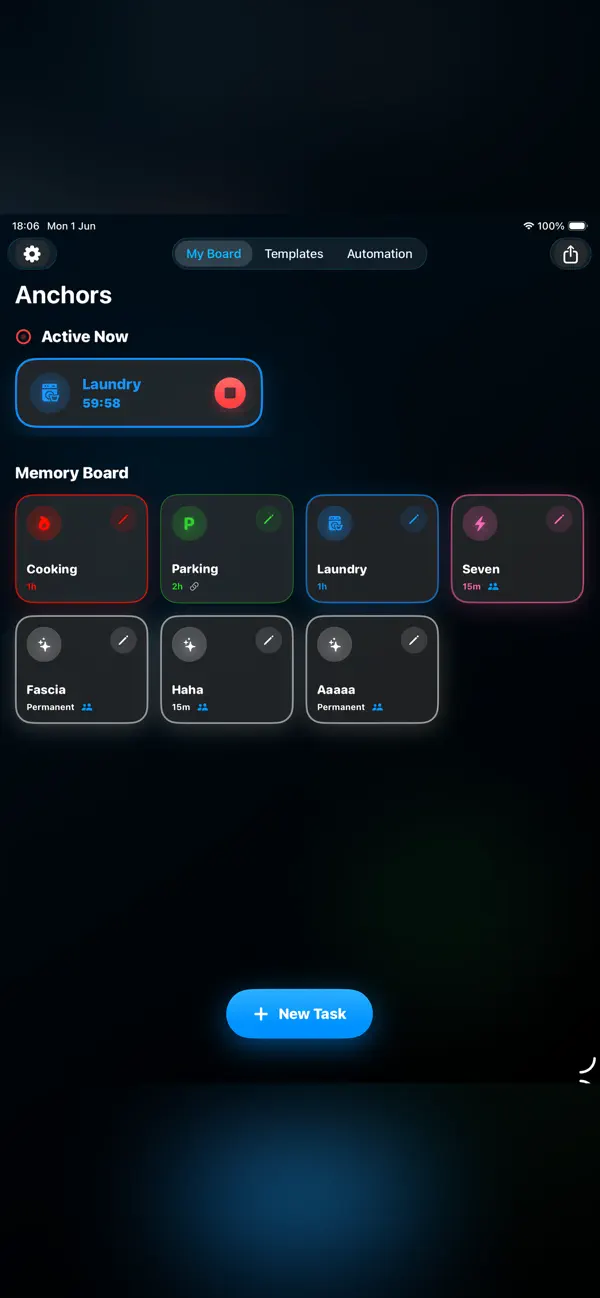
App Storeに掲載されているiPhone & iPad版の公式スクリーンショットです。機能はプラットフォームによって異なる場合があります。
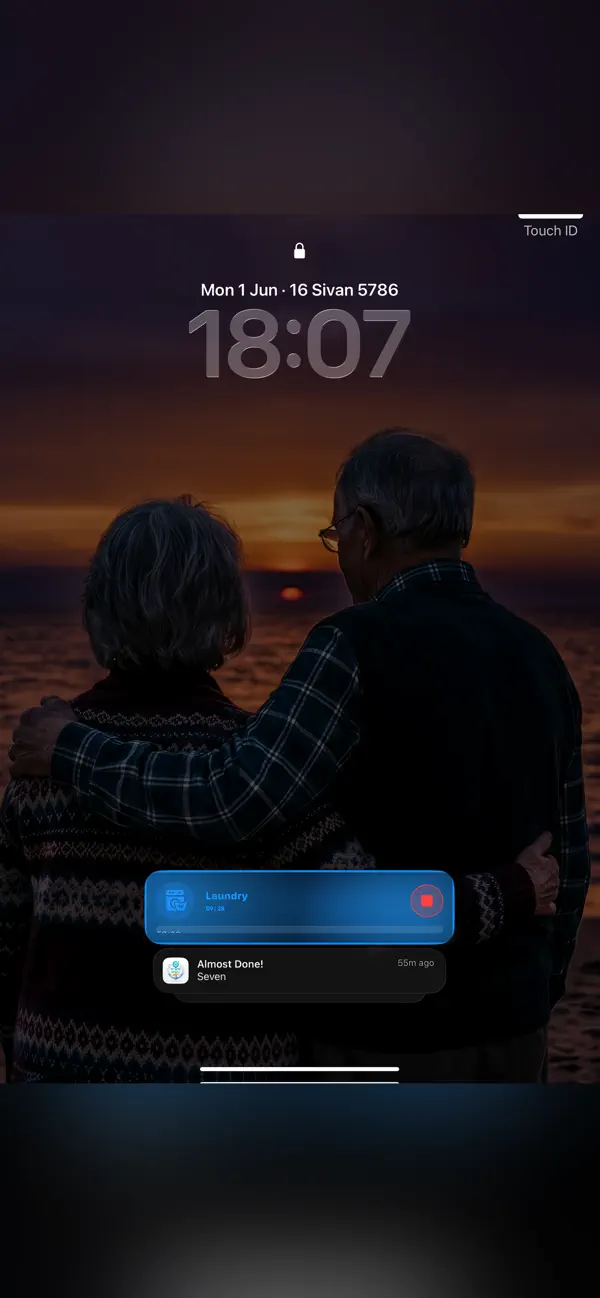
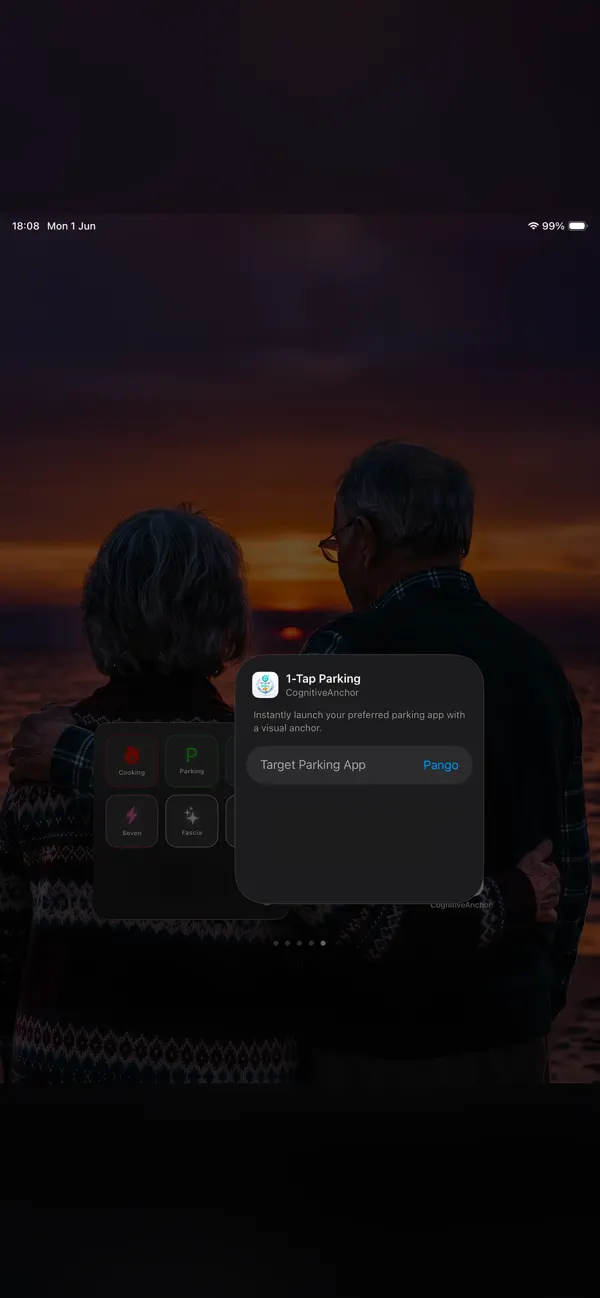
なぜCognitiveAnchor: Focus & Tasks?
日常のタスクに目印を
「章のノートを見直す」などの学習タスクで試してみてください。端末で利用できる表示場所と通知設定を確認しましょう。アクティビティは終了したり期限切れになったりすることがあり、通知を見逃す場合もあります。
カウントダウンタイマーとウィジェット
学習時間にタイマーを使ったり、ホーム画面やコントロールセンターのウィジェットからお気に入りのアンカーを開始したりできます。iPhoneやiPadで利用できる表示場所と通知設定を確認してください。
任意の位置情報リマインダー
日常のタスクに、端末内で処理される位置情報の目印を追加できます。通知は権限、バッテリー、接続、OSの制限に左右され、遅れたり届かなかったりする場合があります。緊急通報や安全確保のためのシステムではありません。
CognitiveAnchor: Focus & Tasks の概要
CognitiveAnchor: Focus & Tasks 対応するロック画面、Dynamic Island、ホーム画面にタスクの目印を表示できます。
| カテゴリ | ユーティリティ |
|---|---|
| 対応プラットフォーム | iOS |
| App Store | 配信中 |
他のユーティリティアプリを見る
 JotRail: Sticky NotesCapture local-first notes at the edge of your Mac screen. Search, organize and export them with JotRail. Requires macOS 15.0 or later.
 Shavua Tov: Siddur & CalendarFind Shabbat candle-lighting and Havdalah times, Hebrew dates and Jewish learning. Compare the Apple siddur and calendar with Android Torah and Tehillim tools.
 Amber: Study, Focus, and SleepPlan Pomodoro-style study sessions with focus timers, brown and pink noise, and a physical-book reading ruler for iPhone and iPad.
 Favor: Boundary & Habit RPGKeep a personal journal of favors, commitments and boundaries, with game-like progress and space for your own reflections.
* 注記: コンテンツとFAQは最新の状態を保つよう努めていますが、アプリの機能やストアのポリシーは変更される場合があります。誤りを見つけた場合はサポートまでご連絡ください。