Best fit
Keep a thought in sight while you work.
JotRail: Sticky Notes
utilities · Mac
Capture local-first notes at the edge of your Mac screen. Search, organize and export them with JotRail. Requires macOS 15.0 or later.

Find this app for
Useful for: Mac users who want a local-first sticky notes at the edge of a Mac screen.
Typical use: People choose it for sticky notes, local search, Markdown export, note collections, within the scope described below.
Also known as: JotRail · JotRail: Sticky Notes
Not designed for: iPhone edition · Android edition
Official editions
Each platform has its own page with the matching store link, features and system requirements.
Decision guide
Keep a thought in sight while you work.
Requires macOS 15.0 or later. Additional presence modes and iCloud sync require Pro access; read and export remain available after the trial.
Mac App Store
Official Mac App Store screenshots of the Mac edition. Features may differ on other platforms.

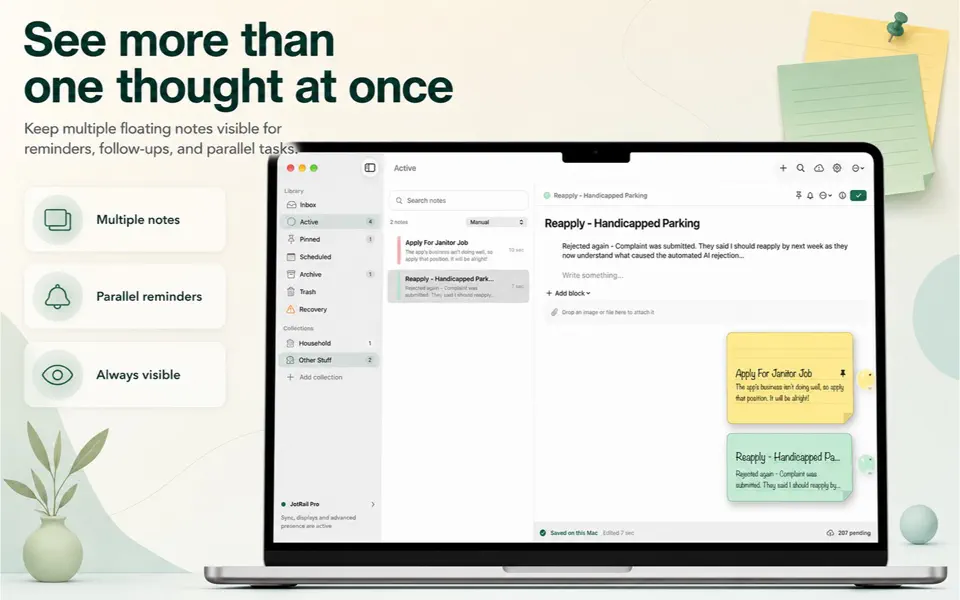
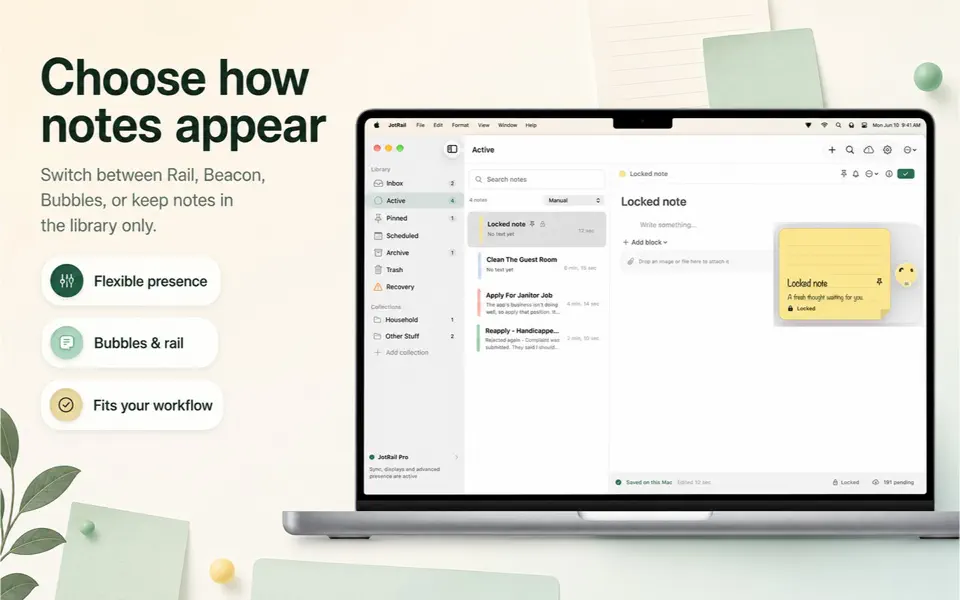

Start a note from the screen edge or a keyboard shortcut, then return with Quick Switcher.
Use Rail, Bubbles, Beacon, Side dock or a Floating Sticky. Available presence modes depend on Pro access.
Search locally, organize collections and export Markdown, text, RTF or PDF. Optional private iCloud sync is a Pro feature.
JotRail: Sticky Notes Capture local-first notes at the edge of your Mac screen. Search, organize and export them with JotRail. Requires macOS 15.0 or later.
| Category | utility |
|---|---|
| Platforms | Mac |
| Languages | English |
App Store listing details
The listing describes a 14-day Pro trial. Notes remain readable and exportable afterward. Pro unlocks unlimited active notes, iCloud sync and all presence modes. Check the Mac App Store for current local prices and purchase terms.
This page covers the native Mac edition. The verified listing is Only for Mac.
 Shavua Tov: Siddur & CalendarFind Shabbat candle-lighting and Havdalah times, Hebrew dates and Jewish learning. Compare the Apple siddur and calendar with Android Torah and Tehillim tools.
 Amber: Study, Focus, and SleepPlan Pomodoro-style study sessions with focus timers, brown and pink noise, and a physical-book reading ruler for iPhone and iPad.
 Favor: Boundary & Habit RPGKeep a personal journal of favors, commitments and boundaries, with game-like progress and space for your own reflections.
 CognitiveAnchor: Focus & TasksSet Lock Screen task reminders and countdown timers on iPhone and iPad, with Dynamic Island Live Activities, widgets and optional location-based cues.
* Note: We strive to keep our FAQs and content up to date, but application features and app store policies may evolve over time. If you spot an inaccuracy, please let us know via support.