01
Start with compatibility
TiltCue requires an Apple-silicon Mac running macOS 14 or later and compatible headphones that provide headphone-motion data to macOS. A working Bluetooth audio connection does not establish motion compatibility.
Not all AirPods models provide the required motion data on macOS. Check the headphones, firmware and operating system before purchasing. If the app cannot obtain a reading, that absence is not a measurement of how you are sitting.
02
Understand the limitations and your responsibility
TiltCue is not a medical app or medical device. Readings and reminders can be inaccurate or missed, depending on the headset, its fit, your movements, reference, settings, firmware and macOS.
TiltCue only estimates changes in head tilt from compatible headphone-motion data. It does not measure spinal alignment or whole-body posture, provide health assessments, diagnose, treat, prevent or monitor medical conditions, or replace professional medical advice. A missing reminder does not mean your position is safe or healthy.
You are solely responsible for choosing compatible equipment, setting your reference and reminders, and deciding how to use and interpret TiltCue’s cues. Use your own judgment and do not rely on TiltCue for medical decisions or safety-critical purposes. This does not limit rights or responsibilities that cannot be excluded under applicable law.
03
Set a reference you can return to
Use five steady seconds to set your reference. TiltCue compares later headphone-motion readings with that reference and your settings. It is an awareness tool, not an assessment of a medically correct position.
If the reference no longer represents the position you intended to use, set it again. The app does not diagnose, treat, prevent or monitor medical conditions, and it does not replace professional medical advice.
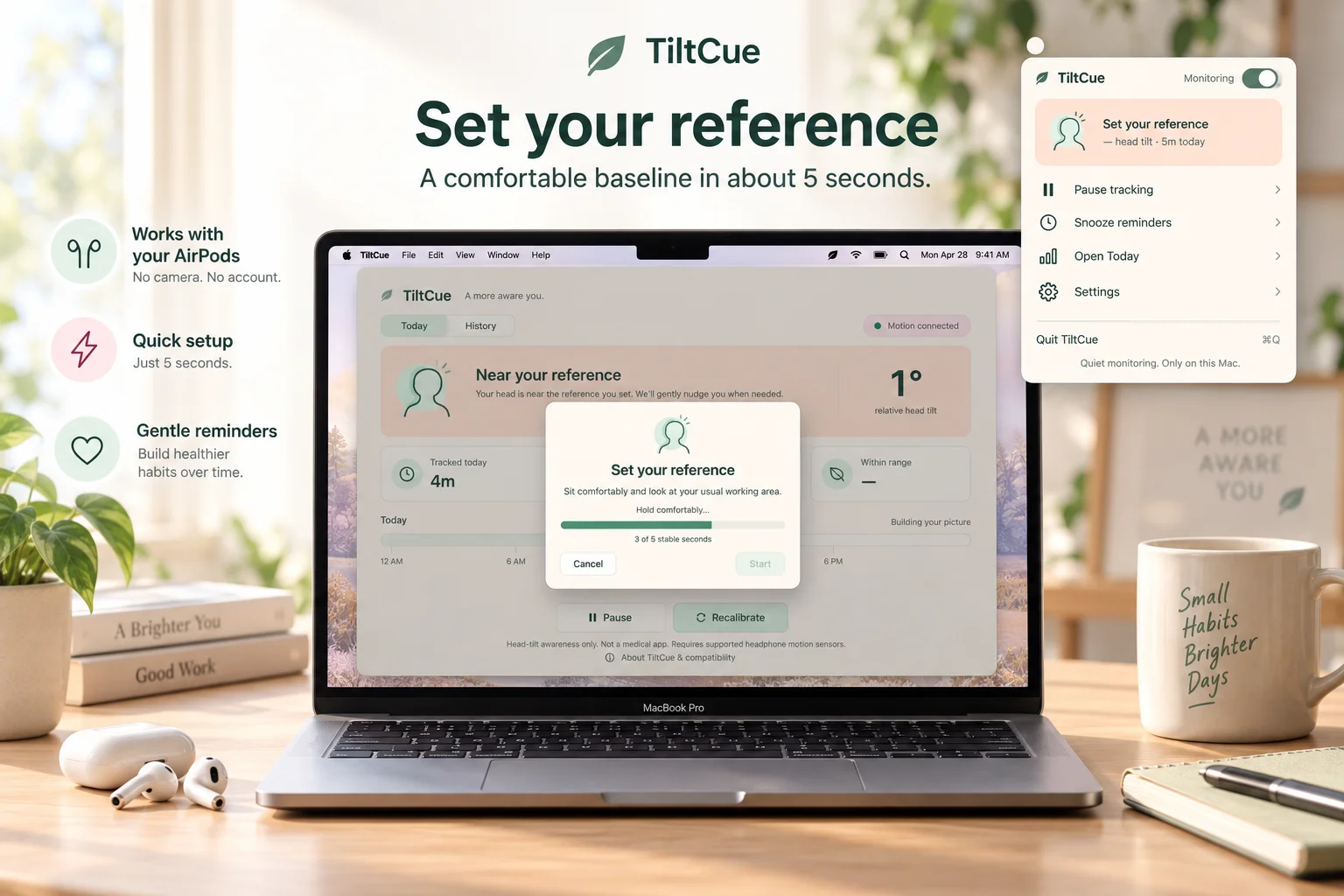
04
Give brief glances some room
Choose a continuous-tilt delay from 5 to 120 seconds. A brief glance does not automatically produce a reminder. After you return near the reference, a later sustained tilt starts a fresh delay without an extra cooldown.
Try a delay that fits the rhythm of your work. Pause tracking, snooze reminders for ten minutes, or set quiet hours when you want to control interruptions.
05
Choose a reminder you will notice
Screen glow fades in and out once over 2.2 seconds while leaving the center of your work visible. It does not block clicks or take keyboard focus. You can choose a system banner or add the optional sound instead.
Only system banners require notification permission. They follow macOS notification settings. App-managed glow and sound may still occur during Focus, so choose the system banner when that distinction matters to your session.
06
Read the week as measured time
Today shows measured time, reminder events and time within the reference range. History brings seven days together with weighted summaries and a daily chart. Missing readings are never counted as good or bad time.
Headphone motion is processed on your Mac. Derived history stays locally for 90 days, can be deleted from the app menu, and can be exported a week at a time as CSV. The figures describe the app’s readings and reminders; they are not health assessments.
Choose the reference and reminders you want before starting a work session.
Explore TiltCue: Head-Tilt Reminders Compare reminder optionsProduct details & further reading
App-specific features reflect the maintained product information. Follow the product page for current release status and store requirements.